State and Bindings
Write state down once and derive every display of it.
The example for this page builds as tutorial_03_state_and_bindings.
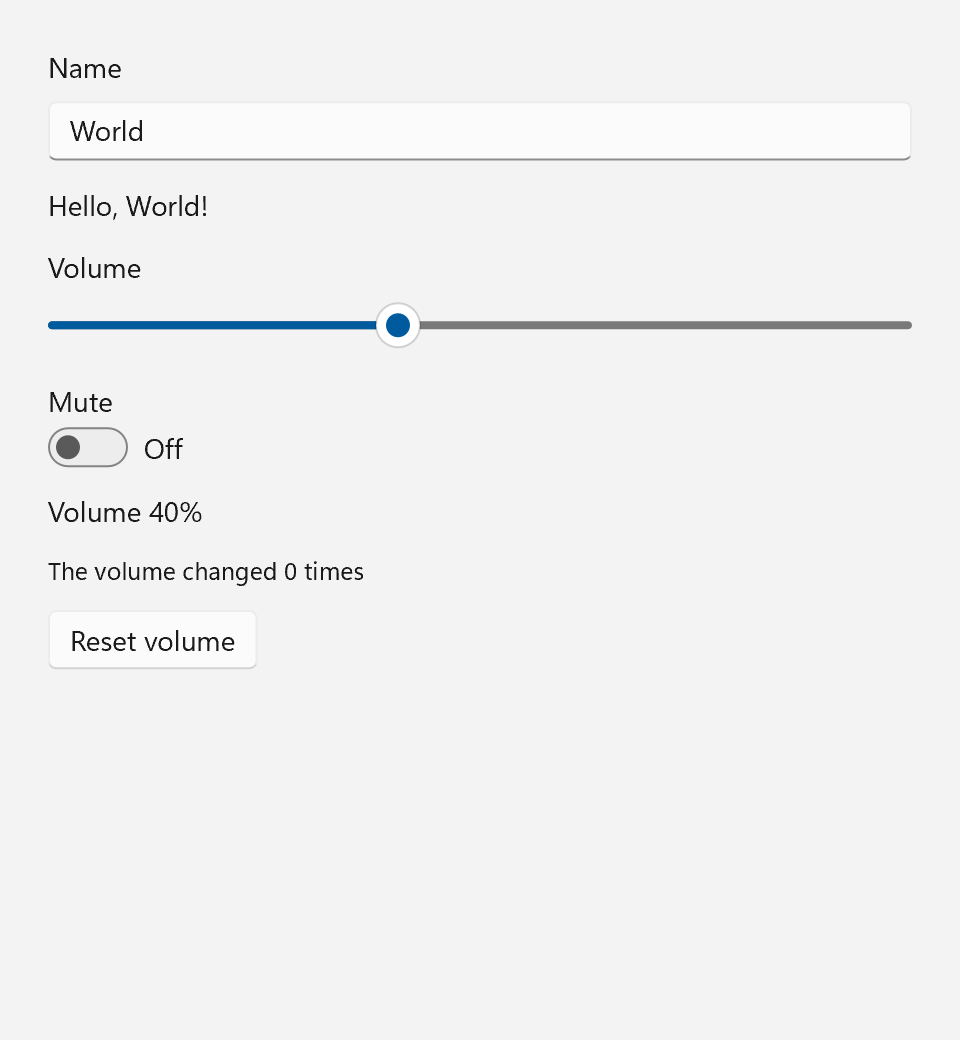
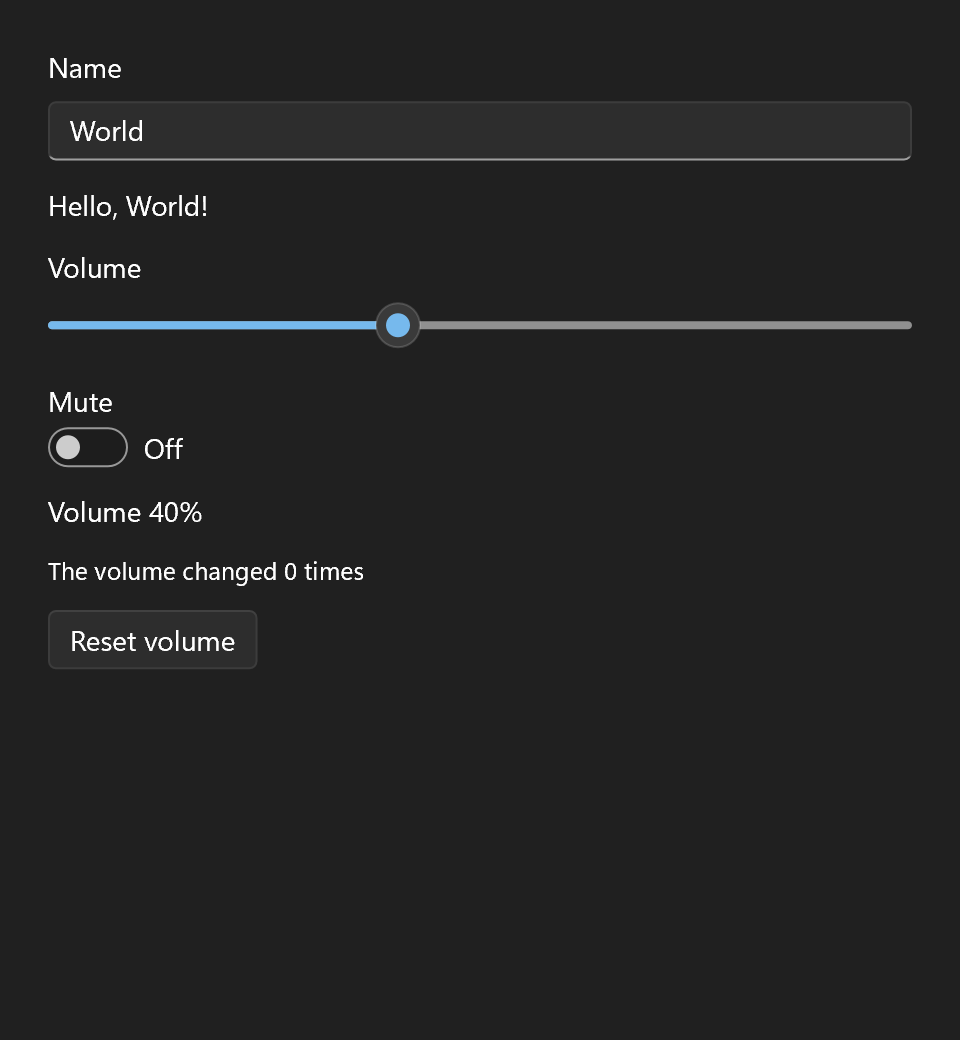
You keep a value in a Property<T>, and controls that show it are bound to it. A binding is an ordinary C++ expression, checked by the compiler.
The example for this page has a name field with a greeting, a volume slider with a mute switch, and a counter of how often the volume actually changed.
One Source of Truth
ui::Property<std::string> name{"World"};
ui::Property<float>       volume{40.0f};
ui::Property<bool>        muted{false};
A Property<T> holds one value of type T:
| Read | Write |
|---|---|
volume.get() or *volume |
volume = 60.0f; or volume.set(60.0f); |
name->size() for member access |
ids.update([](auto& v) { v.push_back(4); }); to change a Property<std::vector<int>> in place |
++clicks;, volume += 5.0f;, muted.toggle(); for counters, sums and flags |
Every write notifies whoever observes the property, synchronously, before the assignment returns. +=, -=, ++, -- and toggle() exist where T supports them and write through set() too. update() is for values that are awkward to rebuild by hand, such as a container: it hands you a copy to change and then writes the copy back, with the same rules as set().
A few rules follow from what a property is:
Tmust be comparable with==. The next sections explain why.- A property can be neither copied nor moved, because bindings keep a reference to it. Declare it where it can stay put: in
main, in a struct that owns your app's state, or as a member of something long-lived. - A property must outlive the controls bound to it, or be destroyed first, which simply ends those bindings. Both are safe.
- Only write it from the UI thread.
set()is not synchronized.
Binding a Property
Every field of a spec that can change at runtime is a Binding<T>. A Binding<T> is either a plain value or a live connection to a property, and the source code says which one:
window.set_content(ui::VerticalStack{
    .spacing = 12,
    .margin  = 24,
    .content =
        {
            ui::TextBox{
                .header = "Name",
                .text   = name,
            },
            ui::Text{.text = ui::bind(name, [](const std::string& n) { return std::format("Hello, {}!", n); })},

            ui::Slider{
                .header  = "Volume",
                .value   = volume,
                .enabled = ui::bind(muted, [](bool m) { return !m; }),
            },
            ui::ToggleSwitch{
                .header  = "Mute",
                .checked = muted,
            },
            ui::Text{.text = ui::bind(volume, [](float v) { return std::format("Volume {:.0f}%", v); })},
            ui::Text{.text = "That is loud.", .visible = too_loud},
            ui::Text{
                .text   = ui::bind(volume_changes, [](int n) { return std::format("The volume changed {} times", n); }),
                .role   = ui::TextRole::Caption,
            },

            ui::Button{
                .text                 = "Reset volume",
                .horizontal_alignment = ui::Alignment::Leading,
                .on_click             = [&] {
                    volume = 40.0f;
                    muted  = false;
                },
            },
        },
});
.header = "Volume"is a plain value. The control gets it once and never hears about it again..value = volumeis a binding. Writing a property into a field binds it: the slider starts at the property's current value and moves whenever the property changes.volume.get()would be the value as it is now, set once..text = ui::bind(volume, [](float v) { return std::format("Volume {:.0f}%", v); })is a binding with a transform. The lambda runs once right away for the starting value and again after every change, and its return type decides the binding's type. That is how aProperty<float>drives a text, or howui::bind(muted, [](bool m) { return !m; })turns "muted" into the slider's.enabled.
The transform is the one place the format lives. Nothing else in the program formats the volume, so nothing else can format it differently.
When a value depends on several properties, put the function first and the properties after it. The function runs again whenever any of them changes:
A binding over several properties is always one-way. Binding a temporary does not compile, since the temporary would be gone before its first change arrives.
A binding is an ordinary value: keep it in a variable and give it to as many fields as you like. Each control that is built from a copy follows the property on its own.
const auto idle = ui::bind(busy, [](bool b) { return !b; });
ui::Button{.text = "Start", .enabled = idle};
ui::Button{.text = "Import", .enabled = idle};
Observing a Property
A binding is the right tool whenever a control shows a value. For anything else, observe the property directly:
ui::Property<int> volume_changes{0};
ui::Subscription  counter = volume.observe([&] { ++volume_changes; });
observe() registers a handler and returns a Subscription. The handler runs after every change, with the new value, which it may ignore, as the one here does. It does not run for the current value, so read get() if you need that. The handler keeps firing for as long as you keep the Subscription object. Destroy it, reset() it or let it go out of scope, and the handler is gone. The return value is [[nodiscard]], because a subscription that is dropped on the spot is almost always a bug.
Here counter lives in main() next to the properties, so it lasts as long as the window does.
Derived Values
A value computed from other properties, used in more than one place, is a Computed<T>. The function comes first and its sources after it, as for a binding over several properties:
too_loud is computed right away and again whenever volume or muted changes. It is read-only: read it with get(), bind a field to it, observe it, or use it as a source of another Computed. Its type comes from what the function returns, here Computed<bool>, and it passes through the same equality gate as a property, so its observers hear only about results that changed.
A Computed lists its sources where it is declared. Nothing is tracked behind your back, so what a value depends on is always written next to it. It owns its connections to the sources and, like a property, can be neither copied nor moved.
To run code rather than keep a value, observe several sources with one handler. ui::observe(fn, a, b) calls fn with the latest value of every source whenever any of them changes, and returns one Subscription for all of them:
ui::Subscription log = ui::observe([](float v, bool m) { std::println("volume {} muted {}", v, m); }, volume, muted);
The Equality Gate
set() compares the new value with the old one first. If they are equal, nothing happens: no handler runs and no control is touched.
Run the example and press "Reset volume" while the slider is already at 40. The line "The volume changed N times" does not move. Drag the slider away and press the button again, and it goes up by exactly one.
The gate is what makes a two-way binding safe. On a field the user edits, such as the slider's .value, the text box's .text or the switch's .checked, .value = volume works in both directions. The control shows the property, and what you enter is written back into it. No handler is needed for that. A field that only displays, such as a ui::Text's .text, has nothing to write, so the same binding is one-way there. A const property and a Computed are always one-way.
- You drag the slider to 55. The binding sets
volume = 55. volumechanged, so it notifies its observers, the slider's binding among them. The binding sets the slider to 55.- The slider already shows 55, so nothing changes and nothing fires. Even if it did write
volume = 55again, the gate would stop it there.
Without the gate, steps 2 and 3 would loop forever. With it, any cycle ends as soon as a value stops changing.
A binding with a conversion, ui::bind(volume, fn), is always one-way, since there is no way back through fn. To keep an input from writing, for a value you want to check first, write .value = ui::bind_one_way(volume) and store the value yourself in the on_*_changed handler.
A two-way binding needs a property that can hold whatever the control writes back. The slider's .value is a double, so a Property<float> works both ways, while .value = count with a ui::Property<int> count does not compile: a drag to 40.5 has no place in an int. The error says to bind a property of the field's own type, or to use ui::bind_one_way(count).
Floating-Point NaN
The gate uses T's operator==, and a NaN is not equal to itself. A Property<double> holding NaN therefore notifies on every write of NaN. Pick another value for "no value", or use std::optional<double>.
Who Owns a Subscription
A binding is a subscription too, and it is owned by the control that displays it. When the greeting's ui::Text is destroyed, its subscription to name is destroyed with it. The tree is single-owner and torn down top to bottom, so a binding lives exactly as long as its control.
The other direction is covered as well. Say a property lives in a document object and a dialog is bound to it. Close the document first, and the dialog's bindings go quiet instead of crashing when the dialog closes later.
| What is destroyed first | What happens |
|---|---|
The control (or any Subscription) |
It unregisters itself. Later writes to the property no longer reach it. |
| The property | Every subscription on it goes dead (alive() returns false). Destroying them later touches nothing. |
| A handler's own subscription, from inside that handler | Allowed. The notification loop steps past it. |
Writing Back From the UI
An input bound to a property writes what the user enters into the property it is bound to. That is the only thing a control writes: the property you named, on the field the user edits. Everything else follows from that write.
- Typing a name sets
name, and the greeting updates. - Flipping the switch sets
muted. The slider's.enabledis bound to it through!m, so the slider grays out. - Pressing "Reset volume" sets
volumeandmutedfrom a handler. The button knows nothing about the slider, the switch or the two texts. It changes the state, and every display of that state catches up.
The on_* handlers are still there for what a binding cannot say: running an action, or storing a value somewhere that is not a Property. A handler runs after the binding has written, so it sees the new value in the property.
Each keystroke in the name field comes back to the box as a new value of name. That is harmless, because the text is the one the box already holds, and a text box ignores a value it already has, caret and selection included. A different value, say from a Reset button, replaces the whole text and puts the caret at the end.
Next
Events and Commands: handlers in more depth, and one action shared by several buttons and a shortcut.