Long Lists
One hundred thousand rows with about a screenful of them alive.
The example for this page builds as tutorial_08_virtual_list.
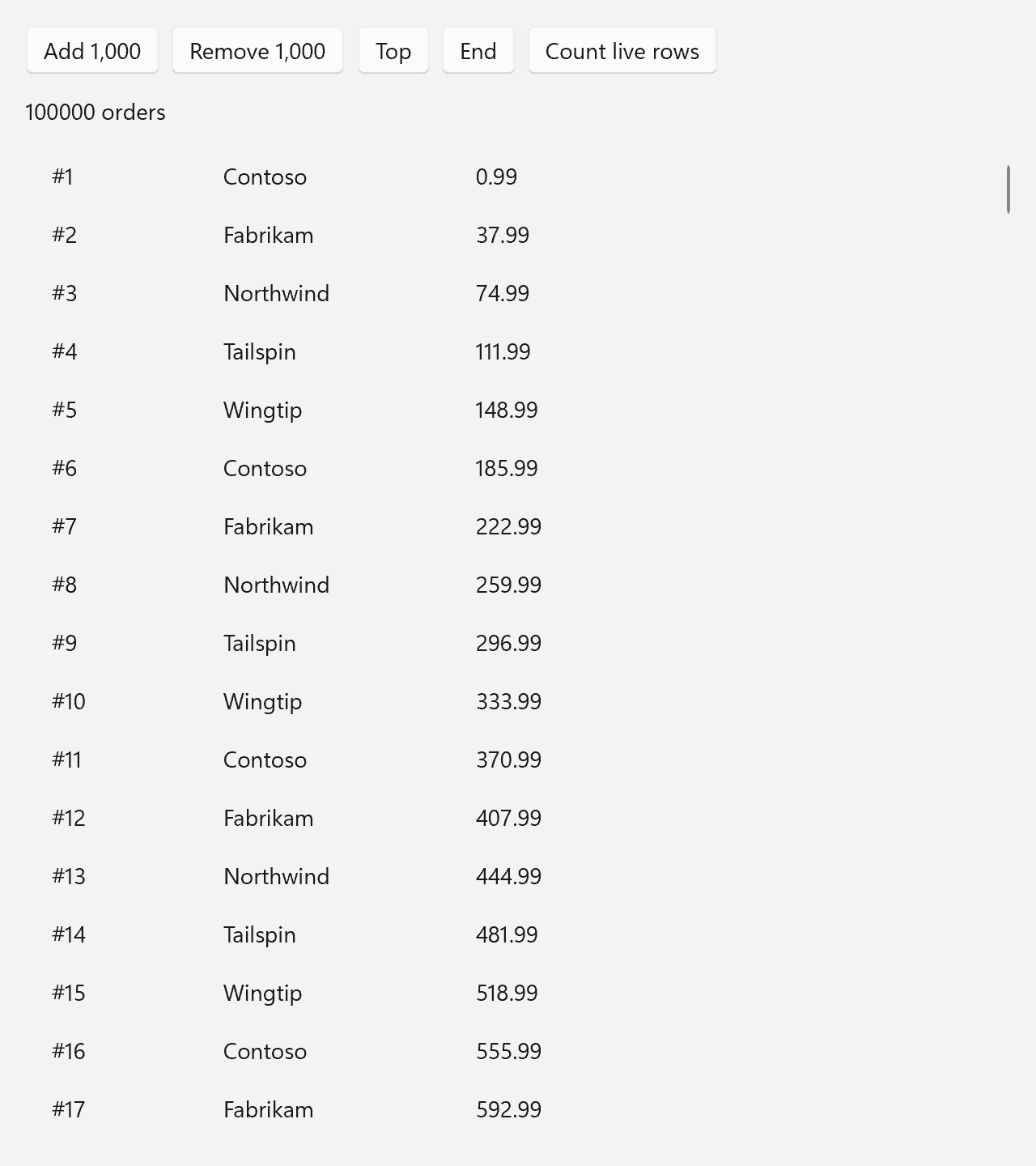
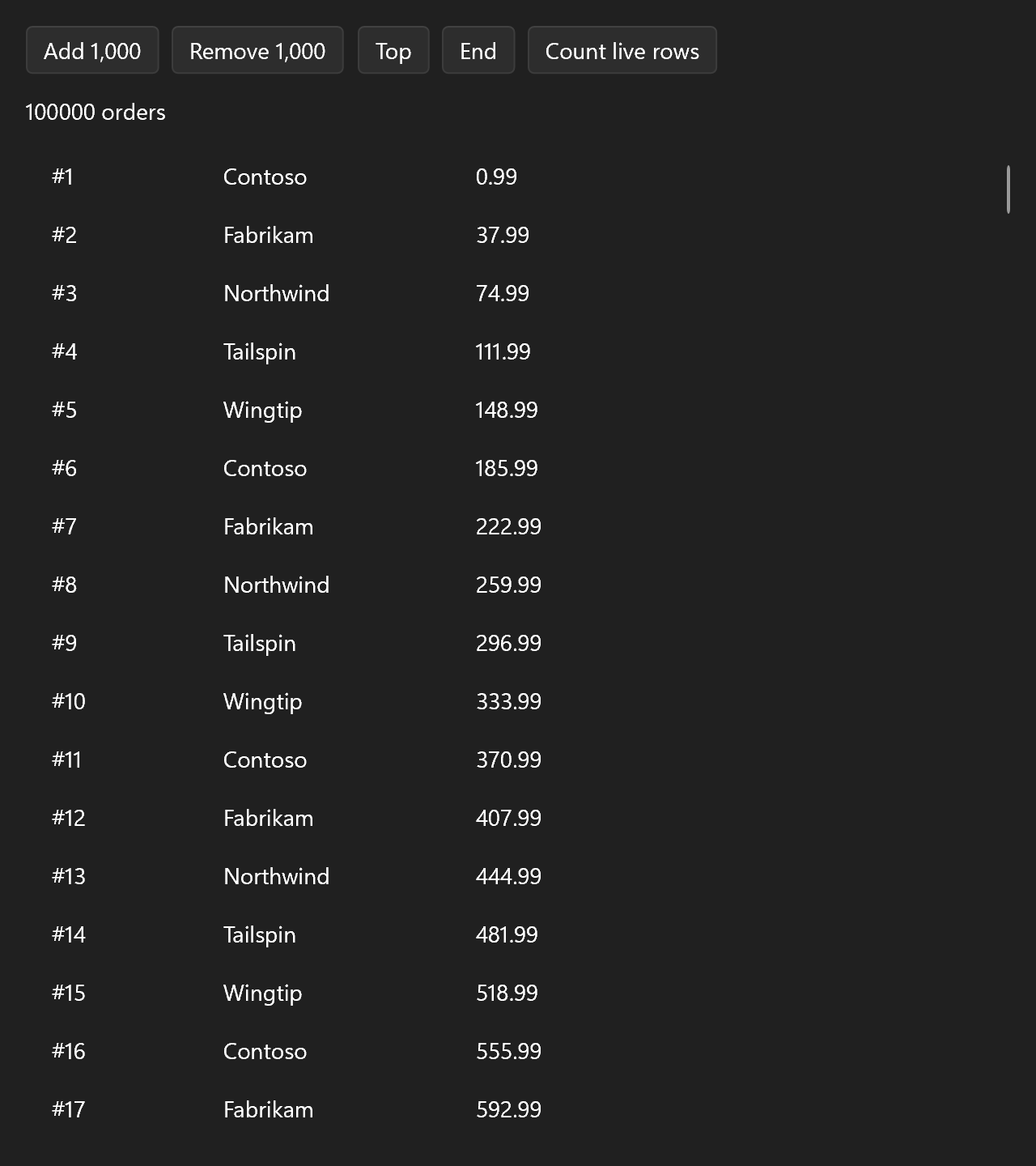
This page builds a window with 100,000 orders in it, a few buttons that change the model, and a line that reports how many rows actually exist at the moment. The full source is examples/tutorials/08_virtual_list/main.cpp.
Why Virtualize
A row of three TextControls in a StackControl is four elements. Building one row per order would mean 400,000 elements, every one of them allocated, measured and arranged, for a window that shows about sixteen of them.
A virtualizing list does the opposite. It knows how many items there are and roughly where each one sits, so it can work out which of them fall into the viewport without touching the others. Only those get a row. Scroll down and the rows that left the view are destroyed, the new ones built. The number of live rows depends on the window height, not on the item count.
The views do this on their own. ui::ListView, ui::TileView and ui::TableView are always virtualized. ui::ForEach builds everything by default and virtualizes with .virtualize = true, inside a ui::Scroll.
A ListView Over 100,000 Orders
The model is an ordinary struct in a ui::ObservableVector, the collection that reports its own edits:
struct Order
{
    std::size_t id = 0;
    std::string customer;
    double      total = 0.0;
};

void add_orders(ui::ObservableVector<Order>& orders, std::size_t count)
{
    const char* customers[] = {"Contoso", "Fabrikam", "Northwind", "Tailspin", "Wingtip"};

    for (std::size_t n = 0; n < count; ++n)
    {
        const std::size_t i = orders.size();
        orders.push_back({i + 1, customers[i % 5], static_cast<double>((i * 37) % 1000) + 0.99});
    }
}
A row is a function from one item to a ui::Spec, the same shape as any component:
ui::Spec order_row(const Order& order)
{
    return ui::HorizontalStack{
        .spacing = 16,
        .content =
            {
                ui::Text{.text = std::format("#{}", order.id), .width = 90, .vertical_alignment = ui::Alignment::Center},
                ui::Text{.text = order.customer, .width = 140, .vertical_alignment = ui::Alignment::Center},
                ui::Text{.text = std::format("{:.2f}", order.total), .vertical_alignment = ui::Alignment::Center},
            },
    };
}
And the list ties the two together:
// Declared before the window, so the collection outlives the list that shows it.
ui::ObservableVector<Order> orders;
add_orders(orders, 100'000);

ui::Control<ui::ListView<Order>> list;
ui::Property<std::string>        info{std::format("{} orders", orders.size())};

auto report = [&]
{ info = std::format("{} orders, {} rows alive", orders.size(), list->repeater()->realized_count()); };
ui::Spec order_list = ui::ListView<Order>{
    .items       = orders,
    .item_height = 36,
    .control     = list,
    .item        = order_row,
};
The three fields that matter:
| Field | Meaning |
|---|---|
.items |
The collection. The view keeps a reference to orders, so it must outlive the window. Declare it before the window, as here. |
.item |
Builds the row for one item. Stored on the list for its whole life, so it must not capture anything that dies before the window. |
.item_height |
A fixed row height in DIPs. Left out, each row is as tall as its content, and the list estimates the rows it has not built yet. With 100,000 rows of the same height, saying so makes the scroll bar exact. |
ui::ListView<Order> builds a ui::ListViewControl, and .control hands you that control.
Row Realization
The list builds the rows that overlap its viewport, plus about a viewport's worth on either side so that a small scroll has its rows ready. With 36 DIP rows and the example's default window size that is around fifty rows. A taller window realizes more, and 100,000 more orders change nothing. The "Count live rows" button reads realized_count() off the list's repeater to show it.
Two things follow:
.itemhas to be cheap. It runs for every row that comes into view.- A row keeps no state. A
TextBoxtyped into and then scrolled away comes back empty. State belongs in the model, and the row shows it.
Native controls make poor rows. A hosted HWND created and destroyed while scrolling is far too slow, see Hosting Native Controls.
Changing the Collection
There is nothing to announce. The buttons edit the ObservableVector, and the list is told what was appended or removed:
auto add = [&]
{
    add_orders(orders, 1'000);
    report();
};

auto remove = [&]
{
    const std::size_t count = std::min<std::size_t>(1'000, orders.size());
    orders.erase(orders.size() - count, count);
    report();
};
The selection, the scroll position and the rows that are still valid stay as they are. A model you assign as a whole, a ui::Property<std::vector<Order>>, works the same way when it is given to .items with a .key; Lists and A Todo List cover both.
The Top and End buttons scroll through .control: scroll_into_view(0) goes to the top and scroll_into_view(orders.size() - 1) to the end.
window.set_content(ui::VerticalStack{
    .spacing = 12,
    .margin  = 16,
    .content =
        {
            ui::HorizontalStack{
                .spacing = 8,
                .content =
                    {
                        ui::Button{.text = "Add 1,000", .on_click = add},
                        ui::Button{.text = "Remove 1,000", .on_click = remove},
                        ui::Button{.text = "Top", .on_click = [&] { list->scroll_into_view(0); }},
                        ui::Button{.text = "End",
                                   .on_click =
                                       [&]
                                   {
                                       if (!orders.empty())
                                       {
                                           list->scroll_into_view(orders.size() - 1);
                                       }
                                   }},
                        ui::Button{.text = "Count live rows", .on_click = report},
                    },
            },
            ui::Text{.text = info},
            ui::Fill{.content = std::move(order_list)},
        },
});
The list sits in a ui::Fill, so it gets the height the buttons and the text above it leave and scrolls inside it. Put straight into the stack it would be measured as tall as all its rows, and never scroll.
Measuring It
examples/virtual_list_demo is the stress version: 100,000 rows, each a Button counting its own clicks. Scroll it with the wheel as fast as you like. The window never holds more than a few screenfuls of buttons. The click counts live in a std::vector<int> beside the list, because a row that scrolls out takes any state it kept with it.
Performance has the measured cost of scrolling each list with up to a million items.
ui::VirtualListControl is the simplest of the engines: rows of one fixed height, an index and a factory, no selection. ui::TableView uses it for its body. It has no spec. Build it by hand if a list of yours needs nothing else, see Mixing Imperative and Declarative.