A Form
Put the first four pages together: inputs, validation, submit and reset.
The example for this page builds as tutorial_05_a_form.
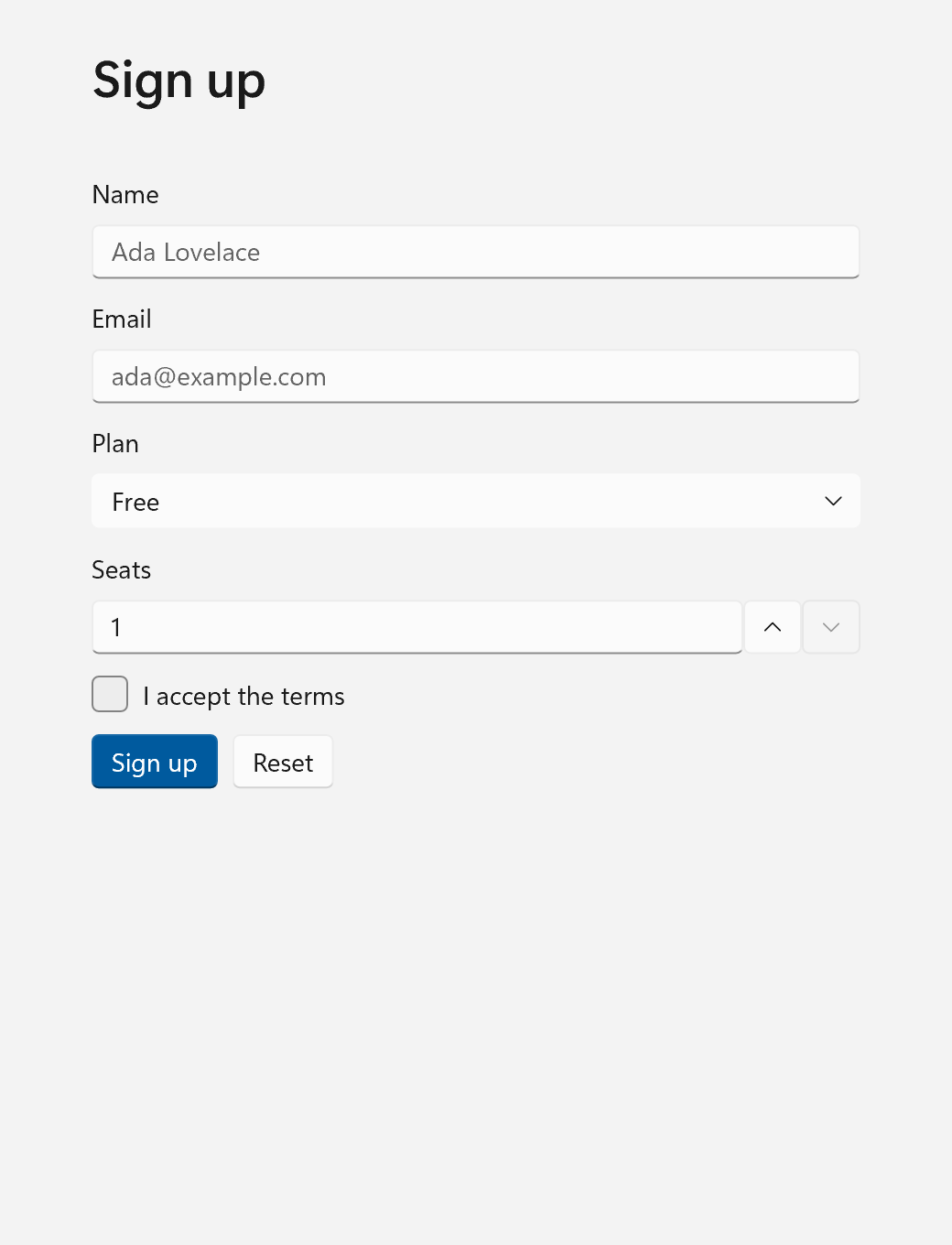
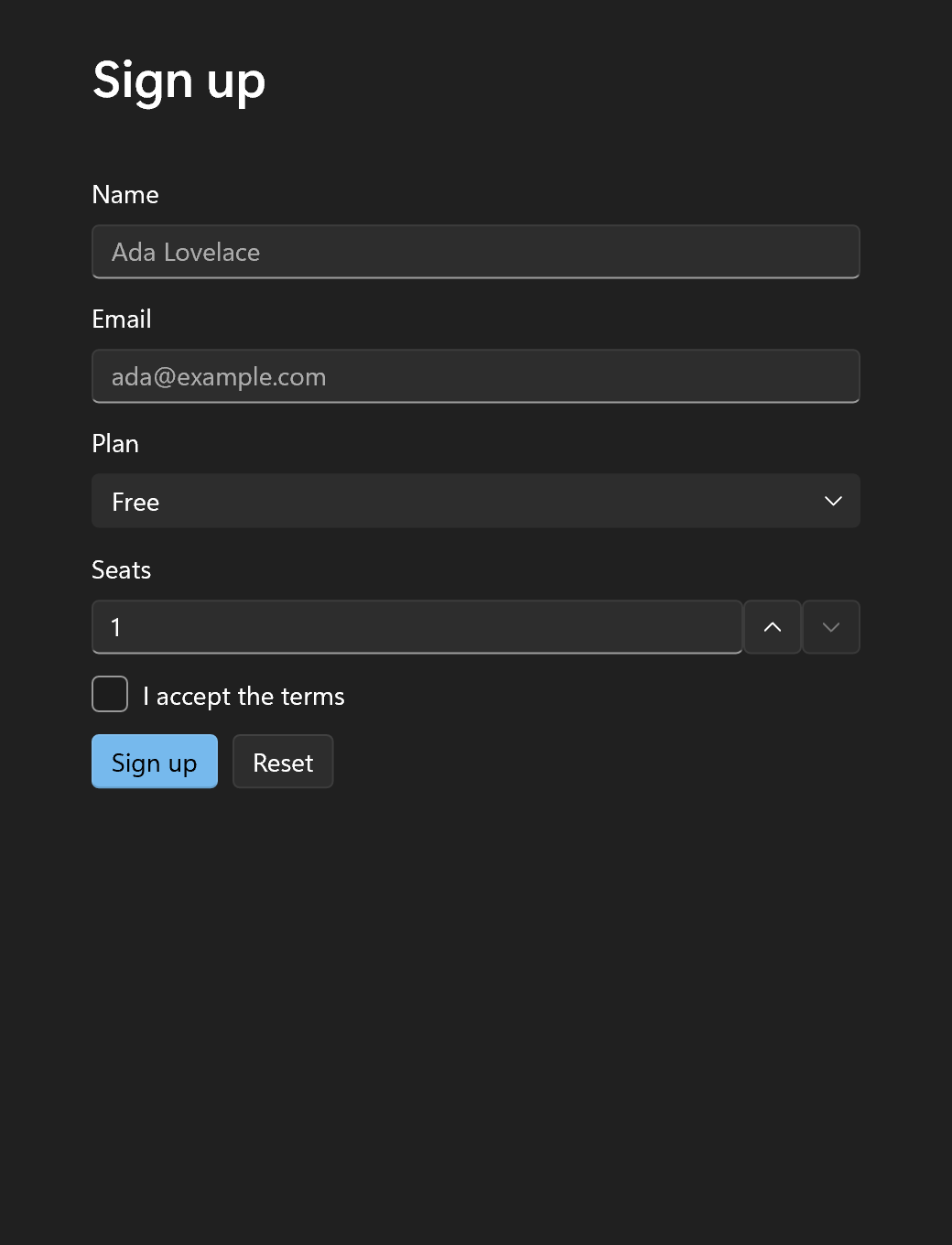
The example is a sign-up form with a name, an email address, a plan, a number of seats and a terms check box. Pressing Sign up shows what is still missing under each field, a complete form signs up, and Reset puts everything back where it started.
The Form's Model
const std::vector<std::string> plans{"Free", "Team", "Enterprise"};

ui::Property<std::string>                name{};
ui::Property<std::string>                email{};
ui::Property<std::optional<std::size_t>> plan{0};
ui::Property<std::optional<double>>      seats{1.0}; // unset while the box is empty
ui::Property<bool>                       agreed{false};
ui::Property<std::string>                result{};
The state of the form is a handful of properties, one per input, plus result for the message shown after a successful submit. Nothing about the form lives in the controls. They show the properties and write to them, and the rest of the program only ever reads the properties.
That split pays off right away: the validation below, the Sign up button and the Reset button all work on these six values and never look at a control.
What Is Wrong, Field by Field
// One check per field: what is wrong with the value, or nothing.
auto name_problem = [](const std::string& n) { return n.empty() ? std::string{"Enter your name."} : std::string{}; };
auto email_problem = [](const std::string& e)
{ return e.find('@') == std::string::npos ? std::string{"Enter an email address."} : std::string{}; };
auto seats_problem = [](const std::optional<std::size_t>& p, const std::optional<double>& s) -> std::string
{
    if (!s)
    {
        return "Enter a number of seats.";
    }
    if (p == 0 && *s > 1.0)
    {
        return "The Free plan has one seat. Pick Team for more.";
    }
    return {};
};
auto terms_problem = [](bool ok) { return ok ? std::string{} : std::string{"Accept the terms to continue."}; };

// The errors show once Sign up was pressed, not while the form is still being filled in.
ui::Property<bool> tried{false};

ui::Computed name_error{[=](bool t, const std::string& n) { return t ? name_problem(n) : std::string{}; }, tried, name};
ui::Computed email_error{[=](bool t, const std::string& e) { return t ? email_problem(e) : std::string{}; }, tried, email};
ui::Computed seats_error{[=](bool t, const std::optional<std::size_t>& p, const std::optional<double>& n)
                         { return t ? seats_problem(p, n) : std::string{}; },
                         tried,
                         plan,
                         seats};
ui::Computed terms_error{[=](bool t, bool ok) { return t ? terms_problem(ok) : std::string{}; }, tried, agreed};
Each field has a check of its own, an ordinary function that takes the value and returns what is wrong with it, or an empty string. The rules are plain if statements that are easy to read and to test on their own.
A field shows its error through .error: non-empty draws the border in the critical color and puts the text under the field, in place of its description, and screen readers report the field as invalid. The field shows exactly what it is given, so when the error appears is decided here, in the data. A form that shows every error while the user is still typing the first field is unpleasant, so these errors wait for tried, which Sign up sets:
name_erroris aui::Computedoftriedandname, as State and Bindings introduced. Whiletriedis false it is empty; after that it is whatevername_problem()says.- Once an error shows, it follows the value as the user types: the error under Email goes away as soon as the address has an
@.
Thanks to the equality gate, recomputing is cheap. Typing a second letter into the name field computes the same empty string again, and nothing downstream is notified.
Inputs
ui::TextBox{
    .header           = "Name",
    .error            = name_error,
    .placeholder_text = "Ada Lovelace",
    .text             = name,
},
ui::TextBox{
    .header           = "Email",
    .error            = email_error,
    .placeholder_text = "[email protected]",
    .text             = email,
    .spell_check      = false,
},
ui::ComboBox{
    .header         = "Plan",
    .items          = plans,
    .selected_index = plan,
},
ui::NumberBox{
    .header                = "Seats",
    .error                 = seats_error,
    .value                 = seats,
    .min                   = 1.0,
    .max                   = 50.0,
    .spin_button_placement = ui::NumberBoxSpinButtonPlacementMode::Inline,
},
ui::CheckBox{.text = "I accept the terms", .checked = agreed},
Each input follows the pattern from State and Bindings: the property written into its value field is shown and gets back what the user enters.
| Control | Spec | Value, two-way when given a property | Change handler, if you need one |
|---|---|---|---|
| Text box | ui::TextBox |
.text |
on_text_changed, on every edit |
| Pick one of a fixed list | ui::ComboBox |
.selected_index |
on_selection_changed |
| Number | ui::NumberBox |
.value |
on_value_changed, when an edit is committed |
| Check box | ui::CheckBox |
.checked |
on_checked_changed |
Some details:
.headeris the label above the control. It saves you aui::Textper input..error, which comes next, is the text under it while something is wrong.- The email box turns off
.spell_check, since an address is not prose and would be full of squiggles otherwise. ui::ComboBoxis a closed list: the user picks one of.items, and typing the first letters of an item selects it. When the user may also type a value that is not in the list, set.editable = trueand read the value from.text. Typed text reaches.on_text_submittedon Enter and also when the box loses focus. Do not open a modal dialog from that handler: a commit caused by focus loss would re-enter the focus change that raised it. Show the problem inline instead, as this form does with its info bar..selected_indexis a position. To keep a value in the property instead (an enum, a string), bind it withui::bind_choice(size, {Size::Small, Size::Medium, Size::Large}), listing the values in the order of.items. The combo box selects the position of the valuesizeholds, and a pick writes the value at that position. This works on every index field:ui::ComboBox,ui::RadioButtons,ui::ListView,ui::SelectorBar,ui::Sectionsand the rest.- A
ui::NumberBoxcommits typed text on Enter or when it loses focus. Then it parses the text, clamps it to[.min, .max]and reports the result. The arrow keys, the mouse wheel and the spin buttons step by.step, 1 by default.NumberBoxSpinButtonPlacementMode::Inlineshows the buttons next to the box. ui::CheckBoxcan show a third, indeterminate state, so.checkedis astd::optional<bool>withstd::nulloptfor it. A click only ever givestrueorfalse, so aui::Property<bool>binds two-way, asagreeddoes here. Bind aui::Property<std::optional<bool>>when the box can show the third state, and add.three_state = truewhen a click can reach it.
InfoBar
ui::InfoBar{
    .title    = "Almost there",
    .message  = terms_error,
    .is_open  = ui::bind(terms_error, [](const std::string& p) { return !p.empty(); }),
    .severity = ui::InfoBarSeverity::Warning,
    .closable = false,
},
ui::InfoBar{
    .title     = "Done",
    .message   = result,
    .is_open   = ui::bind(result, [](const std::string& r) { return !r.empty(); }),
    .severity  = ui::InfoBarSeverity::Success,
    .on_closed = [&](ui::PopupCloseReason) { result = ""; },
},
An InfoBar is an inline status banner: a title, a message, an icon and a background color picked by its .severity. A closed bar takes no space, so it can sit in the layout permanently and only show up when it has something to say.
Both bars are driven entirely by state:
- The warning bar shows
terms_error, the one problem that has no text field to sit under, and is open while it is not empty. It has no close button (.closable = false), because closing it would not fix the form. - The success bar shows
resultand is open whileresultis not empty. When the user closes it,on_closedclearsresult, so the state agrees with the screen again.
There is no code that opens or closes a bar. Tick the box and terms_error becomes empty, the binding turns that into is_open = false, and the warning disappears.
Submit and Reset as Commands
ui::Command submit{
    .text = "Sign up",
    .execute =
        [&]
    {
        tried               = true;
        const bool complete = name_problem(name.get()).empty() && email_problem(email.get()).empty() &&
                              seats_problem(plan.get(), seats.get()).empty() && terms_problem(agreed.get()).empty();
        if (!complete)
        {
            return; // the fields show what is missing
        }
        result = std::format("{} <{}> signed up for {:.0f} seat(s) on the {} plan.",
                             name.get(),
                             email.get(),
                             seats.get().value_or(1.0),
                             plans[plan.get().value_or(0)]);
    },
};

ui::Command reset{
    .text = "Reset",
    .execute =
        [&]
    {
        tried  = false;
        name   = "";
        email  = "";
        plan   = 0;
        seats  = 1.0;
        agreed = false;
        result = "";
    },
};
Sign up is always enabled. It sets tried, which makes every field show what is wrong with it, and then runs the same checks to decide whether the form is complete. Only a complete form produces a result. The same command could be put on a menu item or a keyboard shortcut later without writing the checks twice.
Reset writes every property back to its starting value, tried included, so the errors disappear with the values. Every input is bound, the two text boxes included, so they all follow, without a line of code that touches a control.
Tab Order and Focus
window
    .set_content(
        ui::VerticalStack{
            .spacing   = 12,
            .margin    = 24,
            .max_width = 420,
            .content =
                {
                    ui::Text{.text = "Sign up", .role = ui::TextRole::Title},
                    ui::InfoBar{
                        .title    = "Almost there",
                        .message  = terms_error,
                        .is_open  = ui::bind(terms_error, [](const std::string& p) { return !p.empty(); }),
                        .severity = ui::InfoBarSeverity::Warning,
                        .closable = false,
                    },
                    ui::InfoBar{
                        .title     = "Done",
                        .message   = result,
                        .is_open   = ui::bind(result, [](const std::string& r) { return !r.empty(); }),
                        .severity  = ui::InfoBarSeverity::Success,
                        .on_closed = [&](ui::PopupCloseReason) { result = ""; },
                    },
                    ui::TextBox{
                        .header           = "Name",
                        .error            = name_error,
                        .placeholder_text = "Ada Lovelace",
                        .text             = name,
                    },
                    ui::TextBox{
                        .header           = "Email",
                        .error            = email_error,
                        .placeholder_text = "[email protected]",
                        .text             = email,
                        .spell_check      = false,
                    },
                    ui::ComboBox{
                        .header         = "Plan",
                        .items          = plans,
                        .selected_index = plan,
                    },
                    ui::NumberBox{
                        .header                = "Seats",
                        .error                 = seats_error,
                        .value                 = seats,
                        .min                   = 1.0,
                        .max                   = 50.0,
                        .spin_button_placement = ui::NumberBoxSpinButtonPlacementMode::Inline,
                    },
                    ui::CheckBox{.text = "I accept the terms", .checked = agreed},
                    ui::HorizontalStack{
                        .spacing = 8,
                        .content =
                            {
                                ui::Button{.text = "Sign up", .variant = ui::ButtonVariant::Accent, .command = submit},
                                ui::Button{.text = "Reset", .command = reset},
                            },
                    },
                },
        });
The window builds its Tab order from the tree: every control that can take focus, in the order it appears. For a form that is written top to bottom, that is already the right order: Name, Email, Plan, Seats, the check box, Sign up and Reset. Disabled controls are skipped.
When the window opens, focus is on the first of them, here the Name box, so the user can start typing without reaching for the mouse.
The layout is a single ui::VerticalStack with .max_width = 420. On a wide window the form stops growing at 420 DIPs and is centered, as Layout described for a stretched control that reaches its maximum.
Next
Components: split a UI into functions that return descriptions.