Components
Split a UI into functions that return descriptions.
The example for this page builds as tutorial_06_components.
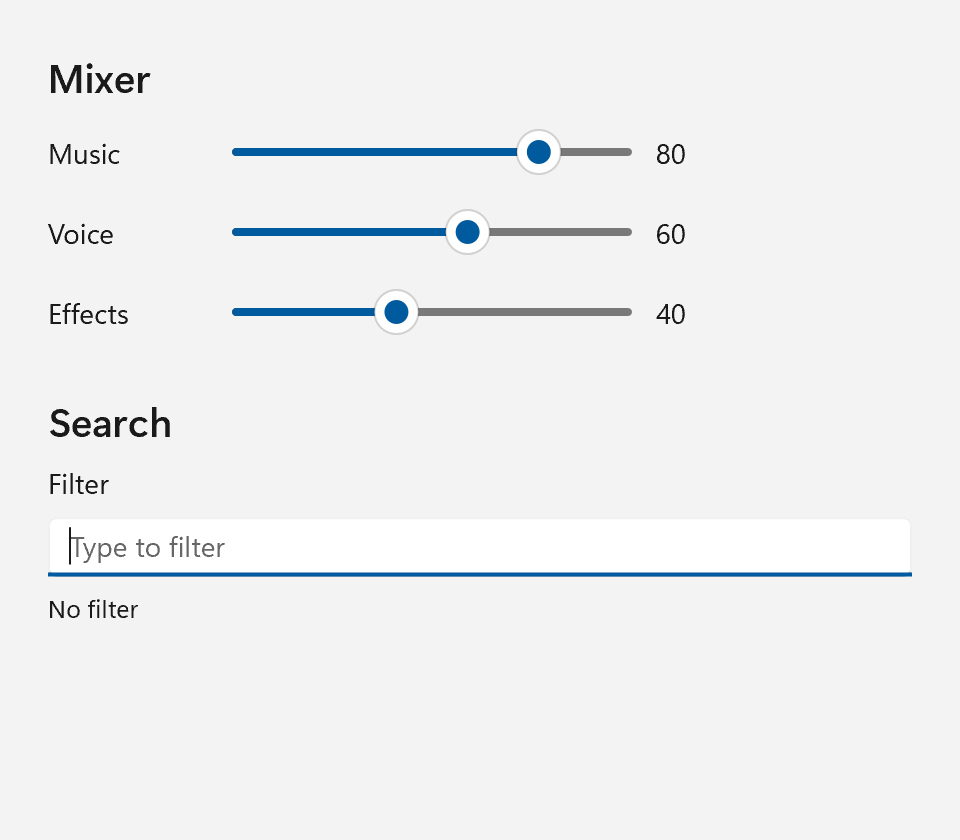
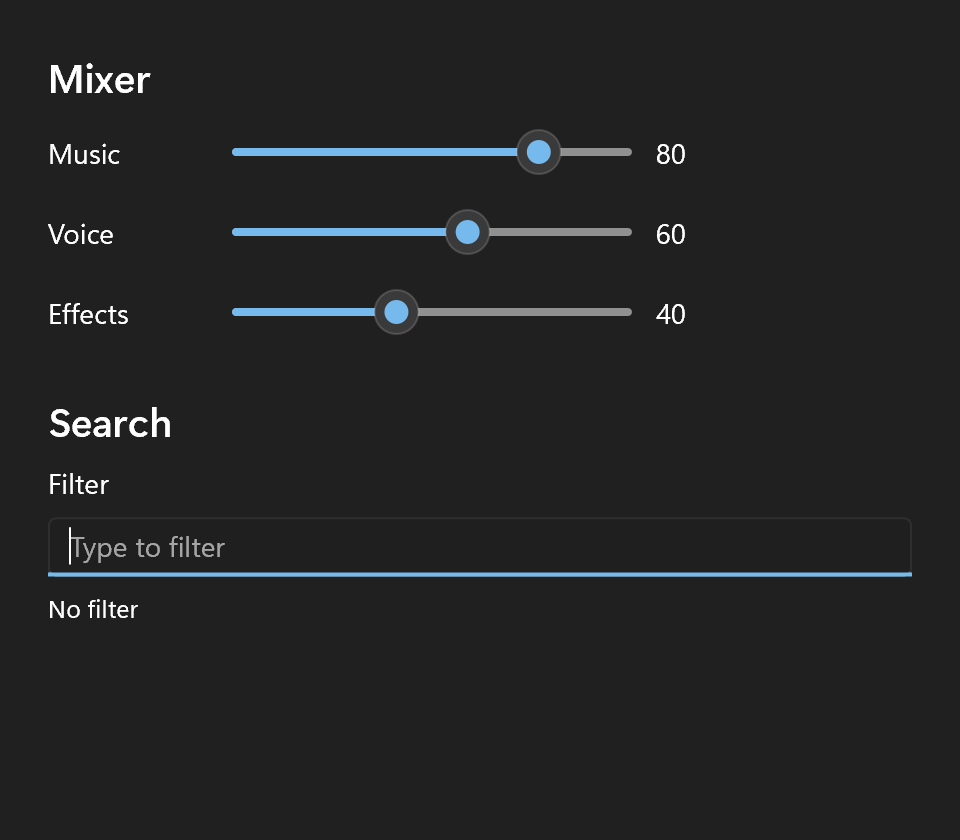
So far every example described its whole window in one expression. That stops scaling somewhere around the second screen of nesting. Functions split it up. The example for this page is a small mixer with one slider row per channel and a filter box, built from three of them.
A Component Is a Function Returning ui::Spec
ui::Spec level_row(std::string name, ui::Property<float>& level)
{
    return ui::HorizontalStack{
        .spacing         = 12,
        .child_alignment = ui::Alignment::Center,
        .content =
            {
                ui::Text{.text = std::move(name), .width = 80},
                ui::Slider{
                    .value = level,
                    .width = 200,
                },
                ui::Text{.text = ui::bind(level, [](float v) { return std::format("{:.0f}", v); }), .width = 40},
            },
    };
}
level_row returns a ui::Spec, and that is all it takes to be a component. You call it like any function and put the result wherever a spec can go: in a .content list or field, or straight into set_content().
A ui::Spec holds the finished controls of whatever spec it was made from. The return ui::HorizontalStack{...} builds the stack panel, the texts and the slider right there, and the ui::Spec owns them until it is handed to a parent. So a ui::Spec is move-only, like the controls it owns, and it can be used exactly once. Returning one from a function costs a pointer move.
A few things a ui::Spec can also be:
- Empty.
return {};from a component that has nothing to show, and the parent simply skips it. - A hand-built control.
return std::make_unique<MyChart>();works, so a control without a spec, or a subtree assembled with the imperative API, fits in like any other component.
Components can take children too. section takes a title and a ui::SpecList, the type behind a container's .content field, and puts the title above them:
ui::Spec section(std::string title, ui::SpecList body)
{
    return ui::VerticalStack{
        .spacing = 8,
        .content =
            {
                ui::Text{.text = std::move(title), .role = ui::TextRole::Subtitle},
                ui::VerticalStack{.spacing = 8, .content = std::move(body)},
            },
    };
}
The caller passes the children as a braced list, the same way it would write .content = {...}:
ui::Control<ui::TextBox> filter;

ui::Window window{{.title = "Components", .size = {480, 420}}};

window.set_content(ui::VerticalStack{
    .spacing = 24,
    .margin  = 24,
    .content =
        {
            section("Mixer", std::move(rows)),
            section("Search",
                    {
                        filter_box(query, filter),
                        ui::Text{
                            .text = ui::bind(query,
                                             [](const std::string& q)
                                             {
                                                 return q.empty() ? std::string{"No filter"}
                                                                  : std::format("Filtering for \"{}\"", q);
                                             }),
                            .role = ui::TextRole::Caption,
                        },
                    }),
        },
});
window.focus_element(filter);
Capture Rules
Up to now every handler captured with [&], and that was correct, because everything it referred to lived in main() and outlived the window. In a component that is no longer true. The component's locals and parameters are gone when it returns, while the handlers it created keep living in the tree. This compiles and crashes:
ui::Spec add_button() // broken
{
    int count = 0;
    return ui::Button{.text = "Add", .on_click = [&] { ++count; }}; // count dangles
}
The rule: a handler in a spec returned from a function captures by value, or captures a reference to state that outlives the window. Nothing in the language enforces it, so check every lambda inside a component for it.
Capturing by value is the quick fix when the state is private to the handler, for instance [count = 0]() mutable { ++count; }. Handlers are move-only, so a captured std::unique_ptr is fine as well.
Parameters as Property&
Most of the time the state is not private, though: the rest of the app wants to know the level of a channel. So the state stays outside, with its owner, and the component takes a reference to it:
That makes the right capture the easy one. .value = level binds the slider to a property the caller owns, and the caller has to keep it alive anyway for the binding to mean anything. .text = query in filter_box below does the same for a text box: the box shows the query and writes every edit back. The component reads as "show and edit this level" and does not care where the level lives.
Everything else is passed by value. name is a std::string taken by value and moved into the text, so nothing in the returned ui::Spec points back into the caller's variables.
The mixer's state is an array of channels, each with a name and its own property:
Channel channels[] = {
    {"Music", ui::Property<float>{80.0f}},
    {"Voice", ui::Property<float>{60.0f}},
    {"Effects", ui::Property<float>{40.0f}},
};
ui::Property<std::string> query{};
A Property cannot be copied or moved, so each one is created in place with Property<float>{80.0f}. The array lives in main() and outlives the window, which is exactly what the bindings to them need.
Reaching a Built Control With .control
Most controls never need a name. You describe them, bind them and forget them. Now and then you do need to talk to one control after the tree is built: to focus it, or to call a method the spec does not cover.
For those, the specs that build a control have a .control field. It takes a ui::Control<...> handle, named after the spec, and build() fills that handle in:
ui::Spec filter_box(ui::Property<std::string>& query, ui::Control<ui::TextBox>& control)
{
    return ui::TextBox{
        .header           = "Filter",
        .placeholder_text = "Type to filter",
        .text             = query,
        .control          = control,
    };
}
In the tree above, filter is a ui::Control<ui::TextBox> that starts empty, filter_box(query, filter) passes it down to the spec, and once set_content() has built everything, filter reaches the real ui::TextBoxControl. The example uses it to put focus in the filter box rather than on the first slider, with window.focus_element(filter).
Some properties of .control:
- It is typed.
ui::TextBox::controltakes aui::Control<ui::TextBox>, so handing it aui::Control<ui::Button>fails to compile on that line.filter->gives you theui::TextBoxControl, and the handle converts to the control's pointer where a function wants one. - It changes no ownership. The tree still owns the control, and
filteronly points at it, like the pointeradd()returns in the imperative API. Do not use it after the window is gone. - A component that wants to offer it takes a
ui::Control<ui::TextBox>¶meter and forwards it to.control, asfilter_boxdoes. When the caller may not want the handle, the component takes aui::Control<ui::TextBox>*defaulted tonullptr, and.controltakes the pointer as it is. - It is filled only once
build()returns. A handler written in the same spec therefore cannot capture the handle by value, since it is still empty at that point.
The last one bites when a control's handler needs the control itself, say a row button that relabels itself, and there is no longer-lived variable to capture by reference. Build the spec into a local first, then wire the handler through the handle:
ui::Control<ui::Button> row;
std::unique_ptr<ui::Element> node = ui::build(ui::Button{.text = "Clicked 0 times", .control = row});
row->on_click([row, n = 0]() mutable { row->set_text(std::format("Clicked {} times", ++n)); });
examples/virtual_list_demo builds its rows this way.
Reusing a Component in a List
ui::SpecList rows;
for (Channel& channel : channels)
{
    rows.push_back(level_row(channel.name, channel.level));
}
A brace list is fine when the children are known when you write the code. When they come from data, build the list in a loop: ui::SpecList::push_back() builds a ui::Spec (or any spec) and appends it, as one more entry of a braced list would be. The same level_row is called once per channel, each time with a different property, and the finished list goes into section like any other.
This works well for a handful to a few dozen rows that do not change. When the rows come and go at runtime, or when there are thousands of them, use a list control that builds rows on demand, as the Collections track shows.
Next
Background Work and the UI Thread: keep the window responsive while slow work runs elsewhere.