A Todo List
A list that grows and shrinks, rows that hide and edit themselves, and pages that keep what you typed.
The example for this page builds as tutorial_14_todo_list.
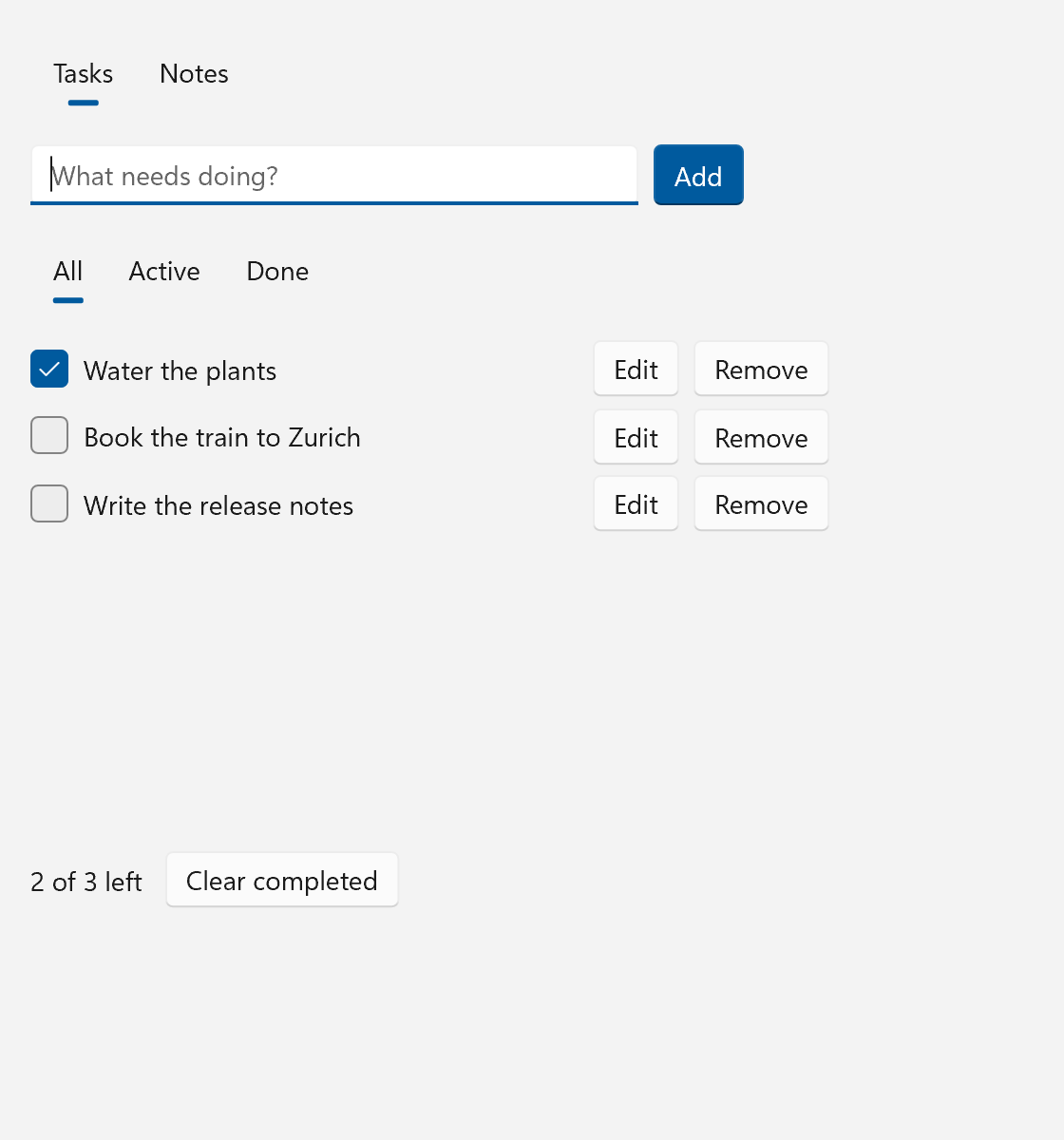
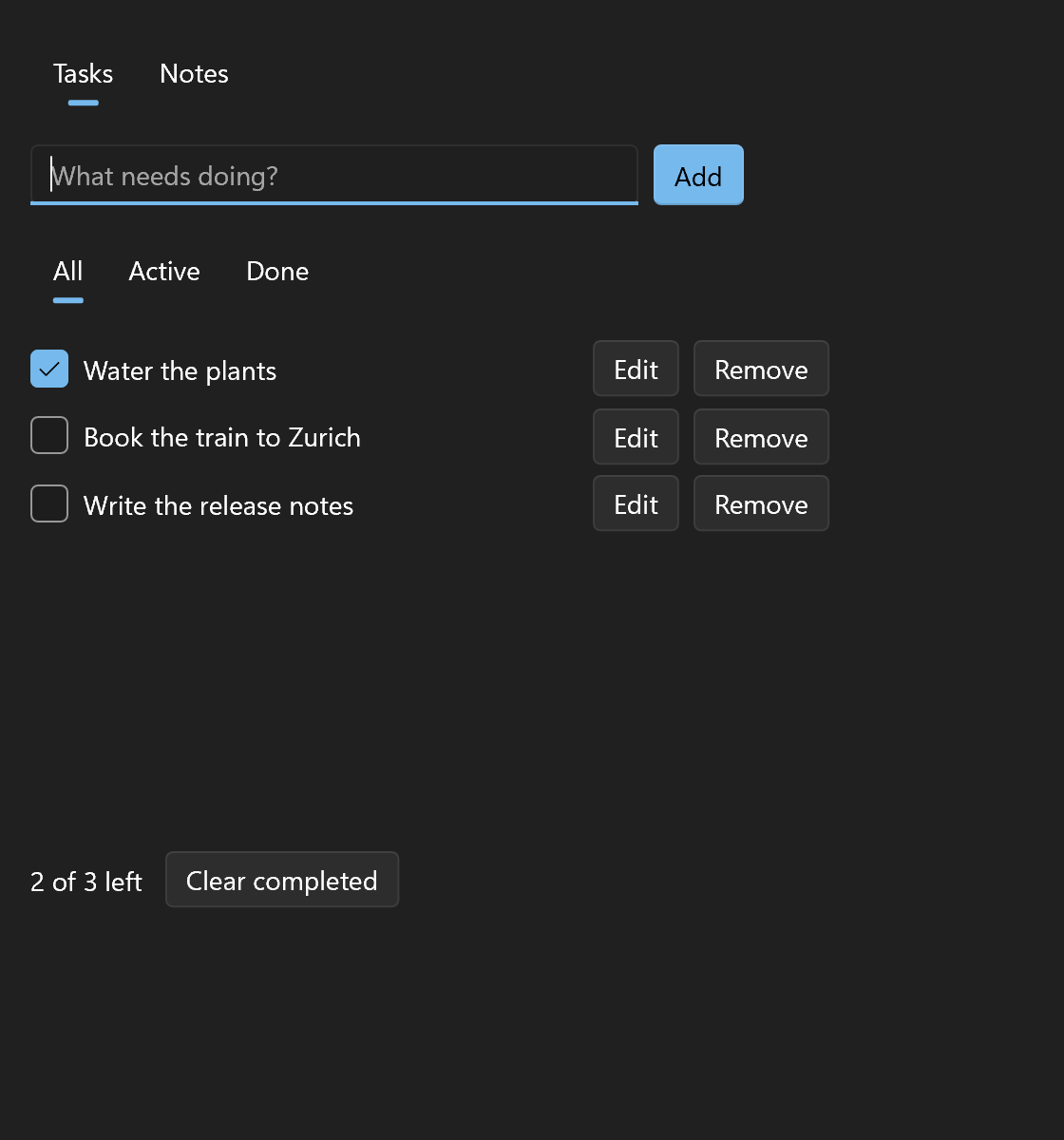
This page builds a small todo app. Tasks are added, ticked, renamed, filtered and removed, and none of that rebuilds more of the tree than the one row it concerns. The full source is examples/tutorials/14_todo_list/main.cpp. Run it with --sample to start with three tasks.
Structure That Follows State
A spec describes a tree once, and bindings keep the values in that tree current. This page is about the tree's shape following state. Each tool below is either told what changed, or hides something instead of destroying it.
| Situation | Tool | Keeps state |
|---|---|---|
| Decided once, while the tree is built | ui::when() or a plain if |
n/a |
| Show or hide, cheap subtree | .visible = ui::bind(...) |
yes |
| Show or hide, expensive subtree | ui::Lazy |
yes |
| One of several, state should reset | ui::Match |
no |
| One of several, state should persist | ui::Match{.keep = true} |
yes |
| A list you edit in place | ui::ForEach over a ui::ObservableVector |
yes, per item |
| A list you assign as a whole | ui::ForEach{.items, .key} over a ui::Property<std::vector<T>> |
yes, per key |
| A long list | ui::ForEach{.virtualize = true} or a view |
per realized row |
| State that belongs to one component | ui::State<S> |
as long as the component |
"Keeps state" means what the user did inside the subtree: typed text, a caret position, a scroll offset, an expander that is open. The todo app uses most of the table.
The Model
// An item holds Properties, so a row binds to them and an edit never touches the collection.
struct Todo
{
    explicit Todo(std::string text) : title{std::move(text)}
    {
    }

    ui::Property<std::string> title;
    ui::Property<bool>        done{false};
};

enum class Filter
{
    All,
    Active,
    Done,
};

enum class Page
{
    Tasks,
    Notes,
};

struct Model
{
    ui::ObservableVector<Todo> todos;
    ui::Property<Filter>       filter{Filter::All};
    ui::Property<std::string>  draft;

    // Derived from the collection, kept as Properties so that the tree can bind to them.
    ui::Property<std::size_t> total{0};
    ui::Property<std::size_t> remaining{0};

    void recount()
    {
        std::size_t open = 0;
        for (const Todo& todo : todos)
        {
            open += todo.done.get() ? 0 : 1;
        }
        total     = todos.size();
        remaining = open;
    }
};
ui::ObservableVector<T> is the collection counterpart of ui::Property<T>. A Property<std::vector<Todo>> can only say "changed". An ObservableVector<Todo> says what changed: one item inserted at 3, two removed from 0, the item at 5 moved to 1. Whatever is bound to it does exactly that much work.
Two things about it matter for the rows:
- Every item stays at its address for as long as it is in the collection. A row can keep a
Todo&and bind to the item's own properties, whatever is inserted or removed around it. - Positions shift, so a row should not keep its index.
todos.remove(todo)andtodos.index_of(todo)find an item by its address.
A Todo holds Property members, which makes it immovable. That is why items are added with emplace_back("text") rather than push_back.
The two counts are derived from the collection. They are Property values so that the tree can bind to them. One observer on the collection recounts them after every insert and removal, and the row's check box calls recount() when a task is ticked:
// Declared before the window, so everything here outlives it and its tree.
Model              model;
ui::Property<Page> page{Page::Tasks};
ui::Property<bool> show_help{false};

// Whatever changes the collection, the counts follow.
ui::Subscription counting = model.todos.observe([&model](const ui::CollectionChange&) { model.recount(); });

// `tutorial_14_todo_list --sample` starts with three tasks.
const std::vector<std::string> args   = ui::command_line();
const bool                     sample = args.size() > 1 && args[1] == "--sample";
if (sample)
{
    model.todos.emplace_back("Read the tutorial");
    model.todos.emplace_back("Build the project");
    model.todos.emplace_back("Remove this task");
}
observe() returns a ui::Subscription. Keep it for as long as you want the callback to run.
The List: ui::ForEach
ui::Spec tasks_page(Model& model)
{
    auto add = [&model]
    {
        if (!model.draft.get().empty())
        {
            model.todos.emplace_back(model.draft.get());
            model.draft = "";
        }
    };

    return ui::VerticalStack{
        .spacing = 12,
        .content =
            {
                ui::HorizontalStack{
                    .spacing = 8,
                    .content =
                        {
                            ui::TextBox{
                                .placeholder_text = "What needs doing?",
                                .text             = model.draft,
                                .width            = 320,
                                .on_submit        = add,
                            },
                            ui::Button{.text = "Add", .variant = ui::ButtonVariant::Accent, .on_click = add},
                        },
                },
                ui::SelectorBar{
                    .items          = {"All", "Active", "Done"},
                    .selected_index = ui::bind_choice(model.filter, {Filter::All, Filter::Active, Filter::Done}),
                },
                // Shown instead of the list while the collection is empty.
                ui::Text{
                    .text    = "Nothing to do. Add a task above.",
                    .role    = ui::TextRole::Caption,
                    .visible = ui::bind(model.total, [](std::size_t count) { return count == 0; }),
                },
                ui::Scroll{
                    .height = 260,
                    .content =
                        ui::ForEach<Todo>{
                            .items            = model.todos,
                            .item_transitions = {ui::AddRemoveTransition{}},
                            .item             = [&model](Todo& todo) -> ui::Spec { return todo_row(model, todo); },
                        },
                },
                ui::HorizontalStack{
                    .spacing         = 12,
                    .child_alignment = ui::Alignment::Center,
                    .content =
                        {
                            ui::Text{.text = ui::bind([](std::size_t open, std::size_t all)
                                                      { return std::format("{} of {} left", open, all); },
                                                      model.remaining,
                                                      model.total)},
                            ui::Button{
                                .text     = "Clear completed",
                                .enabled  = ui::bind([](std::size_t open, std::size_t all) { return open < all; },
                                                     model.remaining,
                                                     model.total),
                                .on_click = [&model]
                                { model.todos.erase_if([](const Todo& todo) { return todo.done.get(); }); },
                            },
                        },
                },
            },
    };
}
ui::ForEach turns a collection into children. .items = model.todos connects it to the observable vector, and .item builds the row for one task. It receives the item as Todo&, because the row is going to change it.
Adding a task builds one row. Removing one destroys one row. The rows in between are the same elements they were, with the text boxes, focus and edit state they had. "Clear completed" calls erase_if(), which removes the finished tasks one by one.
.item_transitions = {ui::AddRemoveTransition{}} animates both directions. A new row grows in, and a removed row shrinks away while the rows below slide up. The removed row is out of the layout and out of the tab order the moment it is removed; it is only still drawn until its exit has played.
Three more details in this function:
- The "Nothing to do" text has
.visible = ui::bind(model.total, ...)..visibleis a field every spec has. A hidden control takes no room, draws nothing and is no tab stop, but it still exists. - The status text and the "Clear completed" button use
ui::bind(fn, a, b), the form with several sources. The function comes first and is computed again when any of the properties after it changes. ui::ForEachhas no scrolling of its own, so it sits in aui::Scroll.
The Row: ui::State and .visible
// One row. Whether it is being edited is the row's own business, so ui::State keeps that flag in
// the row: it is created with the row and destroyed with it, and the handlers below may capture it.
ui::Spec todo_row(Model& model, Todo& todo)
{
    return ui::State<ui::Property<bool>>{
        // A margin rather than spacing in the list: a hidden row then leaves no gap behind.
        .margin = ui::Symmetric{.horizontal = 0, .vertical = 3},
        // The row hides itself when the filter leaves it out. Two sources, one binding.
        .visible = ui::bind([](bool done, Filter filter)
                            { return filter == Filter::All || (filter == Filter::Done) == done; },
                            todo.done,
                            model.filter),
        .content = [&model, &todo](ui::Property<bool>& editing) -> ui::Spec
        {
            return ui::HorizontalStack{
                .spacing         = 8,
                .child_alignment = ui::Alignment::Center,
                .content =
                    {
                        ui::CheckBox{
                            .checked = ui::bind_one_way(todo.done),
                            .on_checked_changed =
                                [&model, &todo](std::optional<bool> checked)
                            {
                                todo.done = checked == true;
                                model.recount();
                            },
                        },
                        // Two controls for the title, one of them visible. Both always exist, so the
                        // text box keeps its caret and selection between edits.
                        ui::Text{
                            .text    = todo.title,
                            .width   = 260,
                            .visible = ui::bind(editing, [](bool on) { return !on; }),
                        },
                        ui::TextBox{
                            .text      = todo.title,
                            .width     = 260,
                            .visible   = editing,
                            .on_submit = [&editing] { editing = false; },
                        },
                        ui::Button{
                            .text     = ui::bind(editing, [](bool on) { return on ? "Done" : "Edit"; }),
                            .on_click = [&editing] { editing.toggle(); },
                        },
                        ui::Button{.text = "Remove", .on_click = [&model, &todo] { model.todos.remove(todo); }},
                    },
            };
        },
    };
}
Whether a row is being edited is nobody's business but the row's. Putting an editing flag into Todo would work, but it would put view state into the model. A local variable in todo_row() does not work at all: the function has returned long before anyone clicks "Edit", and the handlers would hold a dangling reference.
ui::State<S> is the place for it. It builds a node that owns one S, here a ui::Property<bool>, and passes it to .content by reference. That reference is valid for as long as the subtree exists, so the handlers and bindings inside may capture it. .content runs once. It is not called again when the state changes; what changes on screen is whatever was bound to the state.
The title is two controls, a ui::Text and a ui::TextBox, bound to the same property and with opposite .visible bindings. Both exist all the time, which is cheap here and means the text box keeps its caret between edits.
The row's own .visible does the filtering. It depends on the task's done flag and on the selected filter, so it is a binding with two sources. Switching the filter collapses and shows rows; it builds nothing and destroys nothing.
Note the margin on the row where you might expect spacing on the list. A collapsed row takes no room, margin included, while spacing between rows would leave a gap for every hidden one.
The "Remove" button removes the row it sits in. That is fine: the list keeps a removed row alive until the handler that removed it has returned.
Pages That Keep Their State
window.set_content(ui::VerticalStack{
    .spacing = 16,
    .margin  = 16,
    .content =
        {
            ui::SelectorBar{
                .items          = {"Tasks", "Notes"},
                .selected_index = ui::bind_choice(page, {Page::Tasks, Page::Notes}),
            },
            // Decided once, while the tree is built: there, or not a child at all.
            ui::when(sample, ui::Text{.text = "Started with sample tasks.", .role = ui::TextRole::Caption}),
            // Both pages are built once and kept: what was typed on one is still there after a
            // visit to the other.
            ui::Match<Page>{
                .value   = page,
                .keep    = true,
                .content = [&model, &show_help](const Page& current) -> ui::Spec
                { return current == Page::Tasks ? tasks_page(model) : notes_page(show_help); },
            },
        },
});
ui::Match shows the subtree that belongs to a value. Without .keep it destroys the old subtree on every change and builds the new one, which is right for a wizard step that should start fresh. With .keep = true each page is built the first time its value comes up and hidden while another one shows. Type a draft on the Tasks page, switch to Notes and back, and the draft is still there, together with every row's edit state.
The selector bar picks the page through ui::bind_choice(page, {Page::Tasks, Page::Notes}). It binds the bar's .selected_index two-way to a property holding one of the listed values: the bar selects the position of page's value, and a click writes the value at the clicked position. The filter bar on the Tasks page does the same for Filter.
One subtree is kept per distinct value. That suits a handful of pages. For a value with no upper bound, use a ui::ForEach or a view.
ui::when(condition, spec) is the build-time counterpart. The condition is read once, while the tree is built, and a false one leaves no child behind, not even an empty one. An empty ui::Spec{} in a child list does the same, so flag ? ui::Spec{ui::Text{...}} : ui::Spec{} works as well.
Built on First Use: ui::Lazy
ui::Spec notes_page(ui::Property<bool>& show_help)
{
    return ui::VerticalStack{
        .spacing = 12,
        .content =
            {
                ui::TextBox{
                    .header         = "Notes",
                    .accepts_return = true,
                    .wrapping       = ui::TextWrapping::Wrap,
                    .height         = 160,
                },
                ui::CheckBox{.text = "Show the keyboard help", .checked = show_help},
                // Built the first time the box is ticked, and kept from then on.
                ui::Lazy{
                    .visible = show_help,
                    .content = []() -> ui::Spec
                    {
                        return ui::VerticalStack{
                            .spacing = 4,
                            .content =
                                {
                                    ui::Text{.text = "Enter adds the task or ends an edit."},
                                    ui::Text{.text = "Tab moves between the rows' controls."},
                                    ui::Text{.text = "Space ticks the focused check box."},
                                },
                        };
                    },
                },
            },
    };
}
.visible hides a subtree that exists. ui::Lazy is for one that should not exist until it is needed: its .content is a function, and it runs the first time .visible is true. After that the subtree is hidden and shown like any other. With .unload = true it is destroyed again whenever .visible turns false, which gives the memory back and loses the state.
The help text here is far too small to deserve it. A panel with a chart, a few hundred rows or a hosted native control is where it pays.
When the List Is Assigned as a Whole
Not every model is edited in place. A list loaded from disk, filtered or sorted is usually a new std::vector assigned to a ui::Property. ui::ForEach takes that too, and .key tells it which item is which:
ui::Property<std::vector<Photo>> photos{load_photos()};

ui::ForEach<Photo>{
    .items = photos,
    .key   = &Photo::id,
    .item  = [](const Photo& photo) -> ui::Spec { return ui::Text{.text = photo.title}; },
}
When photos changes, the old and the new keys are compared. A row whose key is still there keeps its element wherever it moved to, and is only built again when its item compares unequal. Keys must be unique.
Without .key the rows before and after the edit are kept and those in between are rebuilt. That covers appending and removing, but a sort rebuilds nearly everything.
Here the row reads a copy of the vector that the list owns, so .item must not keep the reference it is given.
The Views Follow Too
The views take the same sources in the same two fields, .items and .key. ui::ListView, ui::TileView and ui::TableView are typed on their item like ui::ForEach is:
ui::ObservableVector<Contact> contacts;

ui::ListView<Contact>{
    .items = contacts,
    .on_selection_changed = [&](std::optional<Contact> contact) { show_details(contact); },
    .item  = [](const Contact& contact) -> ui::Spec { return ui::Text{.text = contact.name}; },
}
The view follows every insert, removal and move, and nothing has to be announced through .control. Its handlers receive the item, and a drag reorder moves the item in contacts.
A ui::Property<std::vector<T>> works the same way, with .key to say which item is which:
ui::Property<std::vector<Contact>> contacts{load_contacts()};

ui::ListView<Contact>{
    .items = contacts,
    .key   = &Contact::id,
    .item  = [](const Contact& contact) -> ui::Spec { return ui::Text{.text = contact.name}; },
}
Assign a sorted or filtered vector and the view is told which items moved, which went and which are new. The selected contact stays selected at its new position. Without the key the view still follows the property, and keeps the rows before and after an edit.